
Service Application and Account Setup Process

2. Account Setup Preparations
- Charity logo image ( Transparent image is acceptable; png, jpeg, jpg, gif formats, less than 1mb) …reference
- Charity banner image on the inside page (png, jpeg, jpg, gif formats, less than 1mb) …reference
- Charity page background image (png, jpeg, jpg, gif formats, less than 1mb) …reference
- Charity Administrator’s e-signature or seal image (png, jpeg, jpg, gif formats, less than 1mb)
- Bank account for receiving donations
- Accounts for intended payment methods

Credit Card (References are from Stripe online payment platform)
Users who accept credit card payments must first set up an account on the Stripe payment platform (https://stripe.com).
- To apply for a Stripe account, visit the Stripe website https://stripe.com, sign up with an email and password, and then complete the required business and personal information to activate your account. After providing basic details, you will need to verify your email and complete the business profile by providing information about your business and personal details, and often a website or social media link. Finally, add your bank account details and upload any necessary verification documents like identification.
After successful account opening, please save your account information and enter the relevant information in the Unify Donation system when setting up payment methods.
*Currently, the system only accepts Stripe as an online platform for credit card payments.
AliPay (References are from Alipay Global Merchant Portal)
Steps for Applying via Alipay Global Merchant Portal
- Access the Merchant Portal
- Go to the official site https://global.alipay.com/platform/site/merchant
- Select “Login” and “Sign Up” to begin the application process.
- Create an Account
- Provide your email address and set up login credentials.
- Verify your email through the confirmation link sent by Alipay.
- Fill in Business Information
- Bank Account Verification
- Compliance & Risk Review
- Contract Signing
*Preparation of Required Documents
- Business license or company registration certificate
- Bank account information(must match the registered entity)
- Identification documents of the legal representative
- Additional compliance documents depending on your region and business type
By following these steps, you can complete the application for a Mainland Alipay account. If there are special circumstances(such as a more complex organization structure), or if Alipay has updated the application steps, it is recommended to contact Alipay corporate customer service directly for tailored guidance.
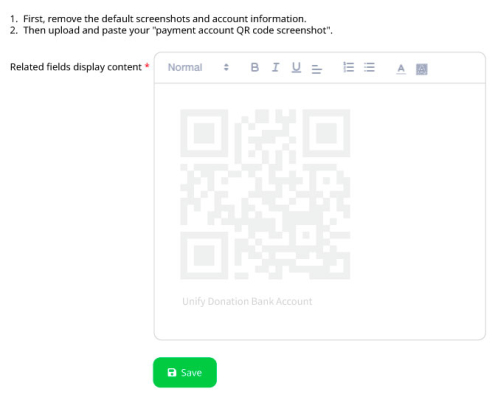
After successful account opening, please save your QR code. Upload it and enter the relevant information in the Unify Donation system when setting up payment methods.
AliPay HK (References are from AlipayHK Merchant Portal)
To set up a business AlipayHK account for your organization, you’ll need to apply through AlipayHK’s merchant portal or via a service provider like Payment Asia. The process typically takes about one week.
Step-by-Step: Setting Up AlipayHK for Business
- Choose Your Application Channel
- Direct via AlipayHK: Visit https://www.alipayhk.com/zh/merchants/
- Third-party service providers: Platforms like https://paymentasia.com/zh/ offer streamlined onboarding and technical support
- Prepare Required Documents
- Business registration certificate
- HKID/passport of authorized person
- Bank account details(for fund settlement)
- Proof of address and business operation (e.g., utility bill, lease etc.)
- Submit Application
- Fill out the online form with company details
- Upload required documents
- Choose your payment integration method(QR code, etc.)
- Integration & Testing
- Once approved, contact Unify Donation team to integrate AlipayHK into the Unify Donation system, or app(where applicable)。
- Test transactions to ensure smooth operation
After successful account opening, please save your QR code. Upload it and enter the relevant information in the Unify Donation system when setting up payment methods.
FPS (References are from HSBC FPS platform)
To set up the Faster Payment System(FPS) for your organization in Hong Kong, you need to register with a participating bank that supports FPS merchant services.
- Choose a Participating Bank
- Select a bank (e.g., HSBC, Standard Chartered, Bank of China etc.) that offers FPS merchant services
- Ensure they support FPS registration for corporate accounts
- Open a Business Account (if not already done)
- Your organization must have a valid business account with the selected bank
- Register for FPS
- Through your bank’s online banking platform or by visiting a branch, register your business account for FPS
- You can link a Proxy ID (such as your business phone number, email, or a unique FPS ID) to your account to receive payments
- Enable QR Code Payments (Optional but Recommended)
- Many banks offer FPS QR code generation for merchants
- You can display this QR code at your event site or on invoices to receive payments directly
After successful account opening, please save your QR code. Upload it and enter the relevant information in the Unify Donation system when setting up payment methods.
PayMe by HSBC (References are from HSBC PayMe platform)
Signing up for PayMe for Business is designed to be quick, easy and self-service. If you need any tips or more detailed instructions, you can check out our Starter Guide here https://payme.hsbc.com.hk/files/Business-Starter-Guide.pdf
After successful account opening, please save your QR code. Upload it and enter the relevant information in the Unify Donation system when setting up payment methods.
Cheque, ATM, and e-Transfer
The organization needs to prepare the following banking information to receive donations:
- Bank Name: [Organization’s Bank Name]
- Account Name: [Organization Name]
- Account Number: [Organization’s Account Number]

